← All work
From equipment receipts to accountant-
Product design · Custom software · AI integration
From equipment receipts to accountant-ready reports
A phone app that turns a photo of an equipment label and its invoice into a tax depreciation record. AI suggests the details, the owner approves every one, and the accountant gets clean reports at year end.
Client name withheld. Screens and video show sample equipment under fictional business names.
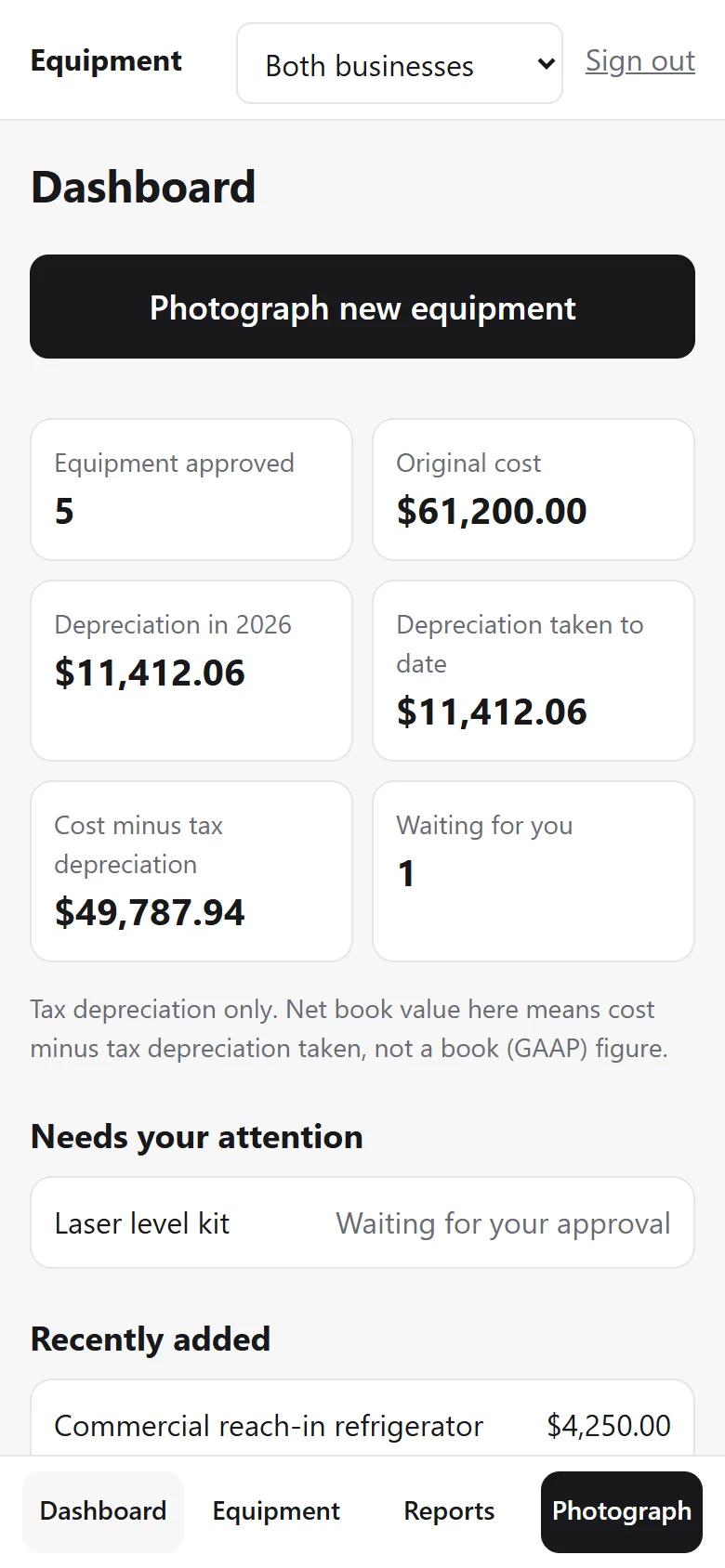
The challenge
The client runs two small businesses and buys equipment for both: a refrigerator one month, a trailer the next. Every purchase is a deduction spread over several years, and the accountant needs the same facts for each one. What it cost, when it went into service, and which recovery class it falls into.
Those facts were scattered across invoices, receipts and the labels on the equipment itself. Pulling them together happened at tax time, at the last minute, and filling the gaps cost money.
The owner did not want an enterprise asset system with its own logins, subscriptions and training. The brief was narrow: one person, one phone, no new monthly bill.
The approach
We wrote the spec before any code: product requirements, technical choices, screen flow, design brief, data schema and build plan. Every guess about the client’s situation went in labeled as an assumption to confirm, so none of them got built in silently.
Three rules came out of it and shaped everything after. AI only suggests. The tax math lives in its own code with no AI in it. Nothing counts toward a report until the owner approves it.
The workflow
Seven steps, from the day something is bought to the day the accountant asks for it.
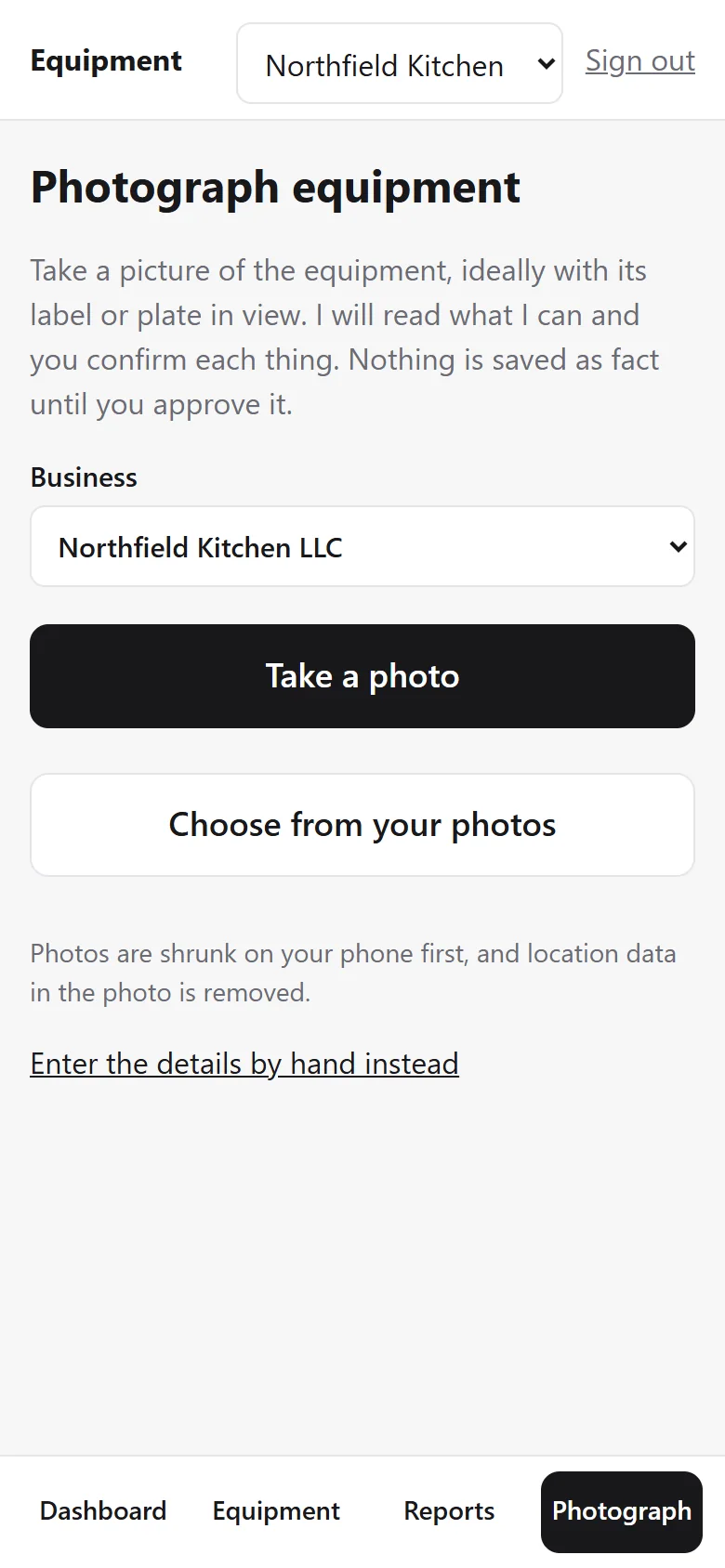
- Photograph the label. Pick the business and take a picture with the nameplate in view. The phone shrinks it and strips location data before it uploads.
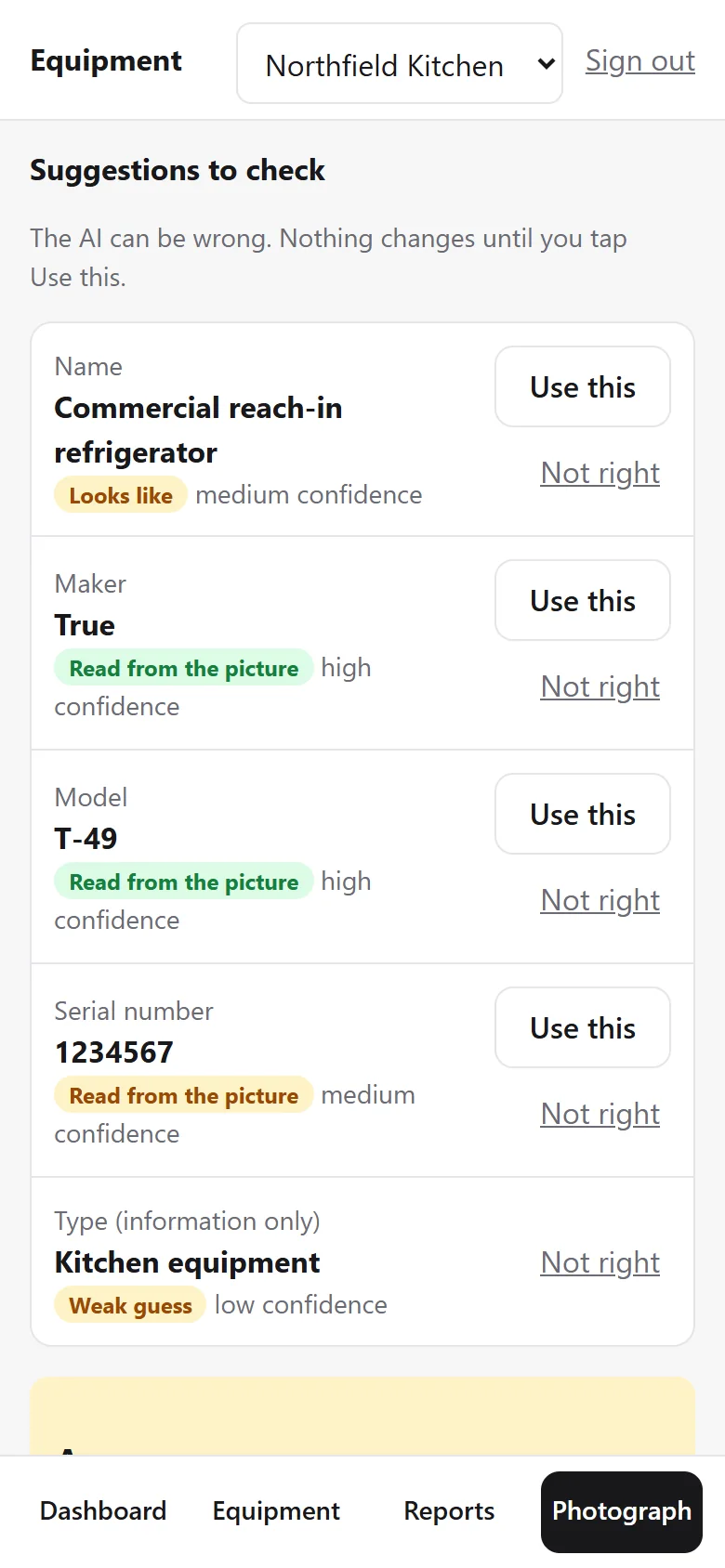
- AI suggests. A vision model reads what it can: name, maker, model, serial number. Each suggestion says where it came from and how sure it is.
- The owner decides. Use this or Not right, one field at a time. Nothing changes until the owner taps.
- Add the invoice. A photo is enough. Vendor, cost and purchase date come back as suggestions the same way.
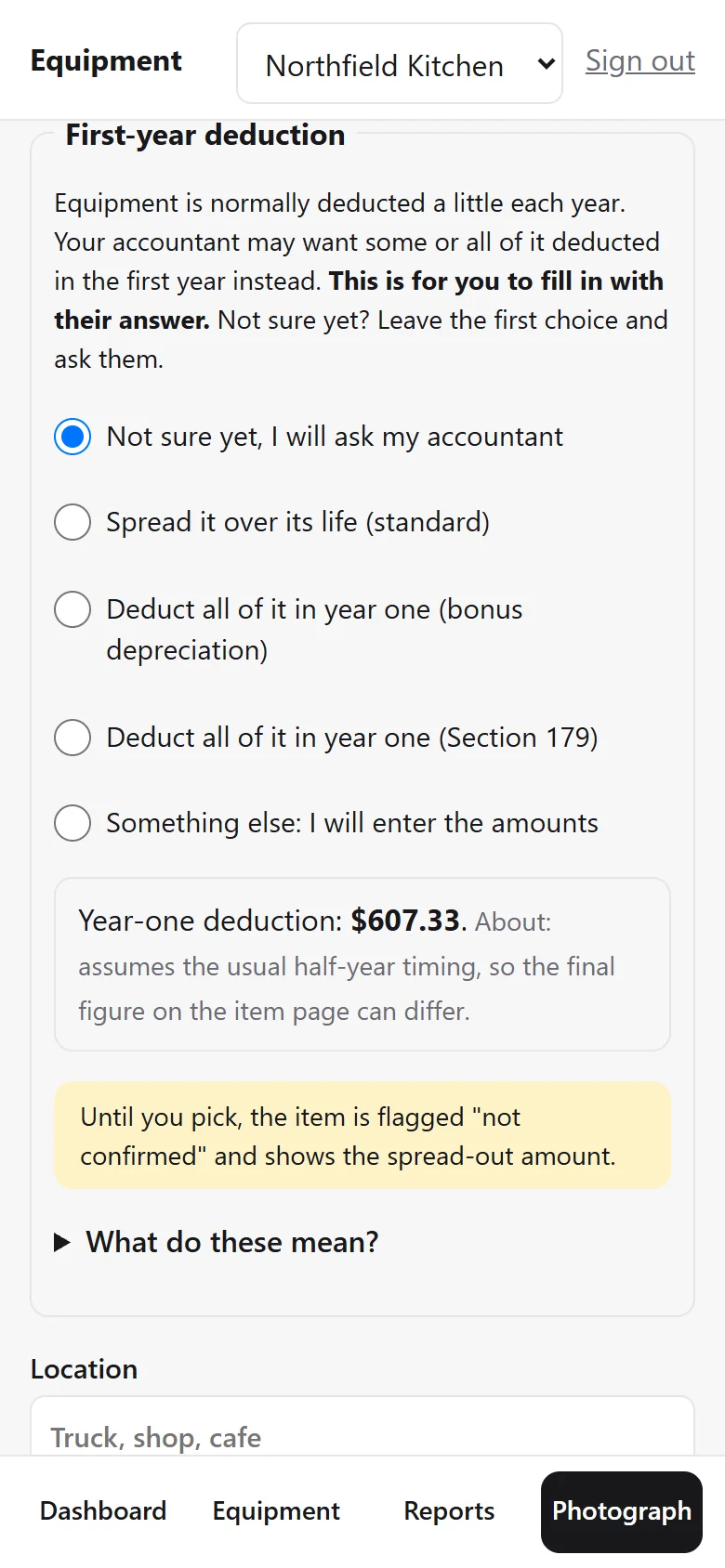
- Fill in the tax details. Date placed in service, business use, recovery class, first-year deduction. Anything uncertain can wait for the accountant.
- Approve. Check the cost and dates against the invoice, then approve. Only then does the item start depreciating and show up in reports.
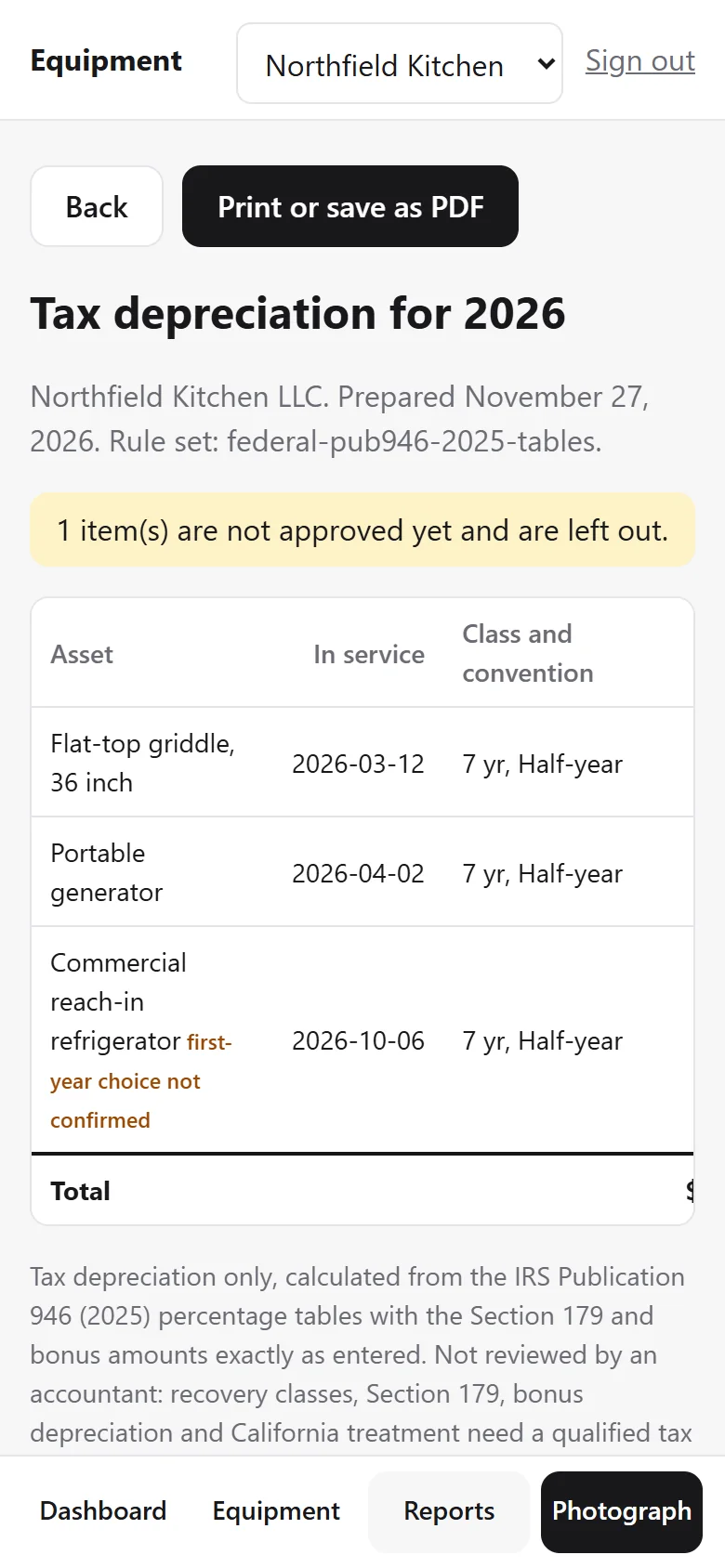
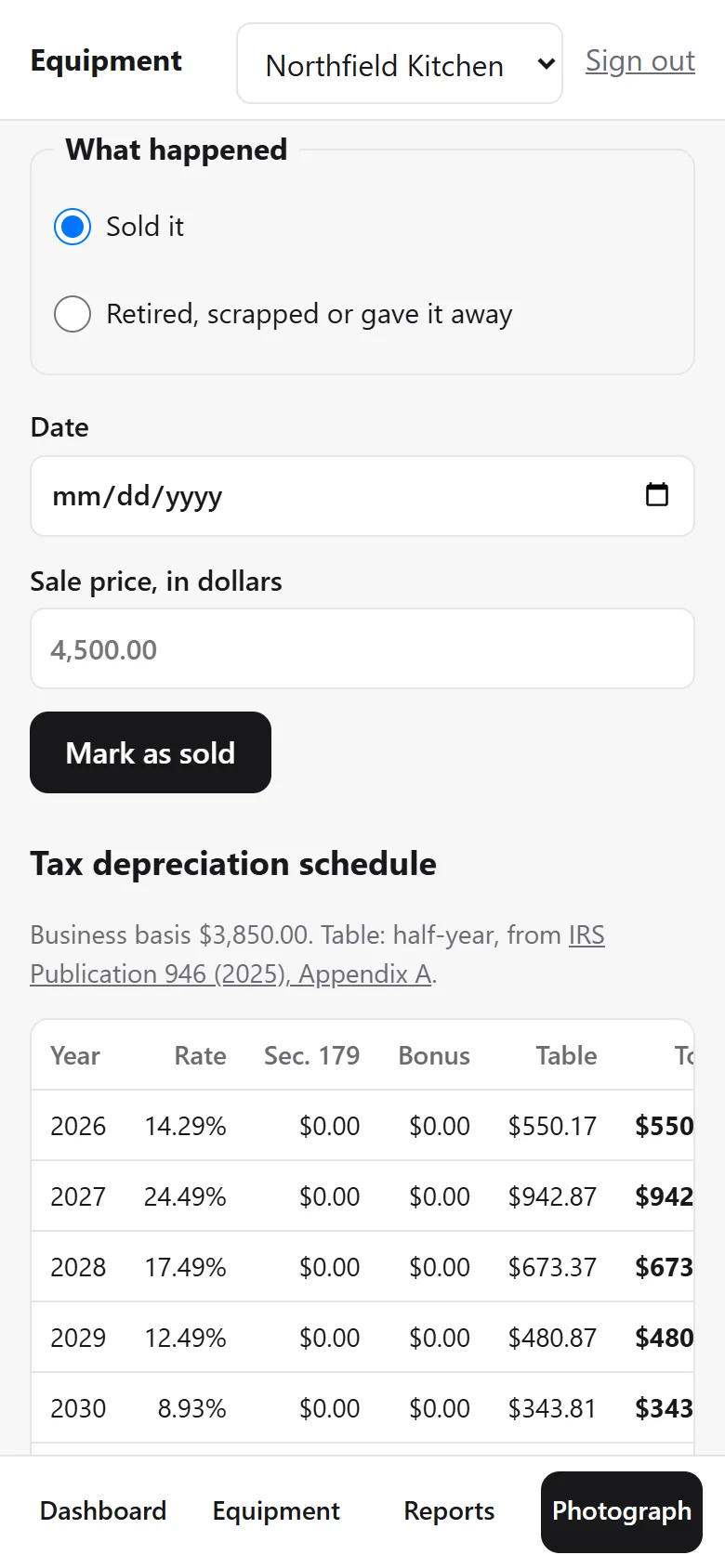
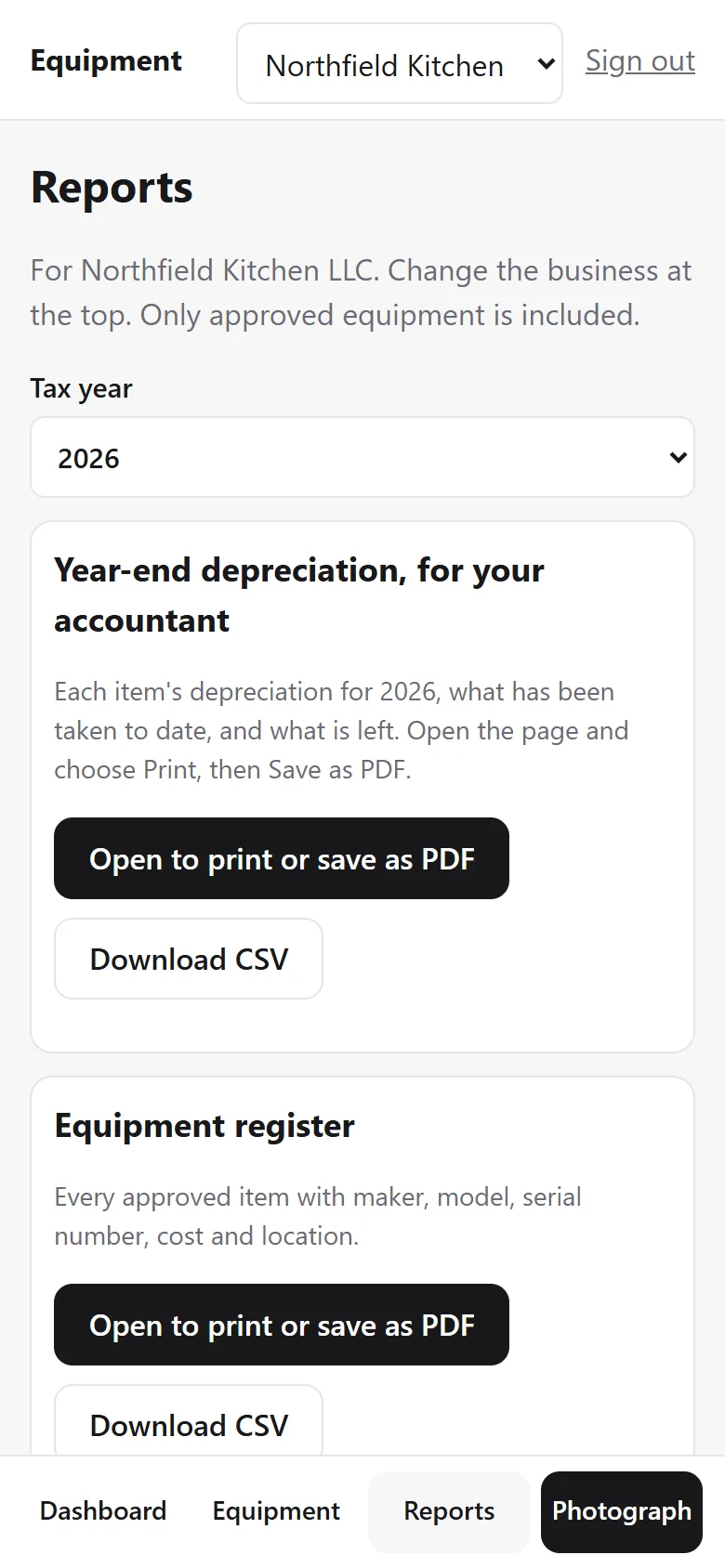
- Hand it over. At year end, reports print to PDF or download as spreadsheets. Sales and retirements get recorded along the way.
Designed for the phone
Most entries happen standing next to the thing being recorded. So every screen has one main action, big tap targets, plain labels and the tabs within thumb reach.
The AI part
Photos go to a vision model on Cloudflare Workers AI (Meta’s Llama 4 Scout). It returns structured fields, and the app shows each one as a suggestion tagged with where it came from: Read from the picture Looks like Weak guess. A serial number is kept only when it was read off a label. An accepted suggestion goes through the same validation as a typed entry, and a cost read off an invoice stays unconfirmed until the owner approves the item.
The model never touches the tax math. Recovery class, first-year deduction and every dollar of depreciation come from a separate engine with no AI in it.
If a photo can’t be read, the owner types the details instead. Nothing is lost and nothing blocks saving a draft. Reads are capped at 60 a day to stay inside the free allowance.
What has been tested, and what hasn’t
- TestedClean sample labels and receipts made for testing. Maker, model, serial, vendor, date and the equipment line on an invoice all came back right.
- TestedA blurred, rotated label with no serial printed on it. The model read the maker and model and did not invent a serial number.
- Not yetReal labels in real conditions: greasy, curved, badly lit. That field test is planned with 25 of the owner’s own photos. Until then, accuracy on real equipment is unknown.
The accounting engine
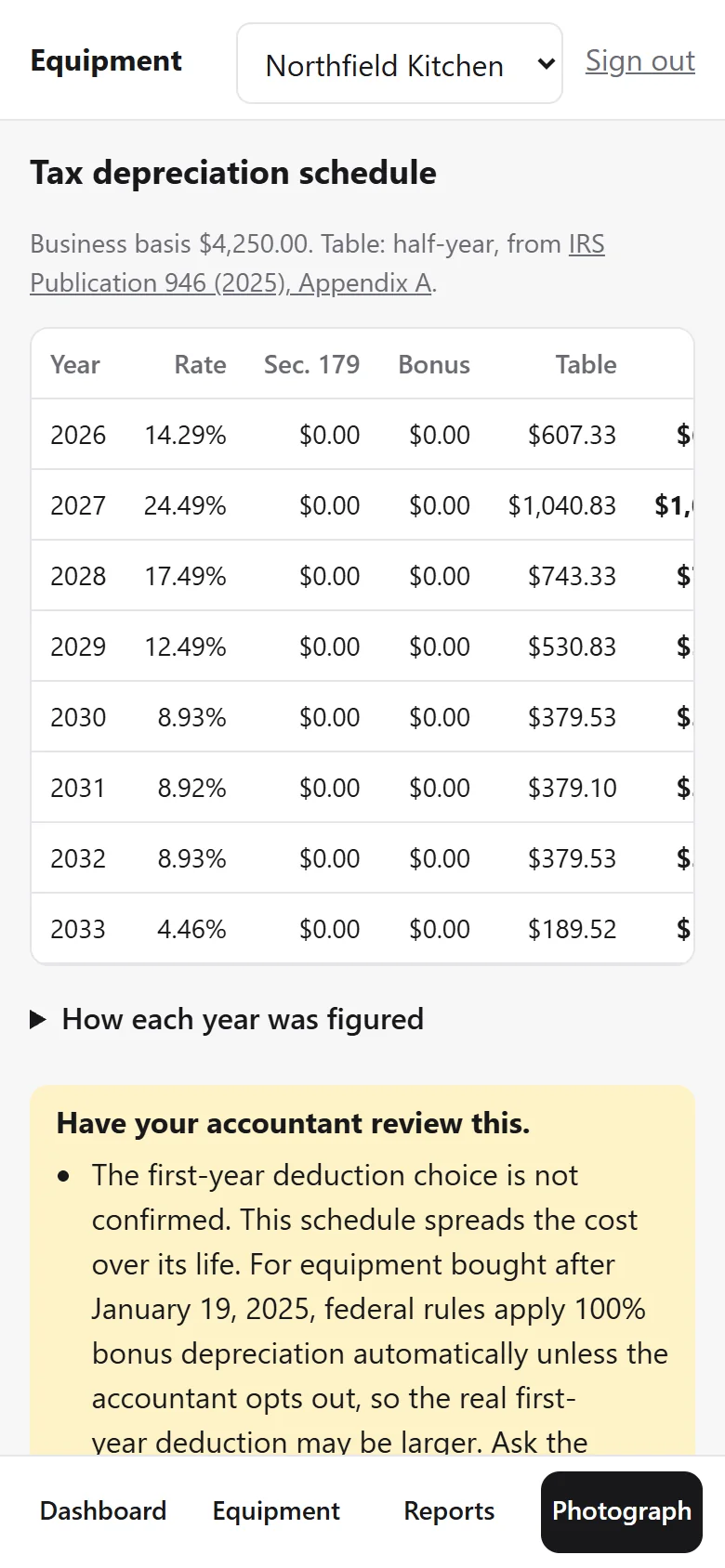
Depreciation runs in a small TypeScript engine with no network, no clock and no AI. Money is stored in whole cents. The MACRS percentage tables are copied digit for digit from IRS Publication 946, and the tests rebuild one of them from its formula as an independent check.
It covers what a real register runs into: half-year and mid-quarter conventions with the 40% test, Section 179 and bonus depreciation as first-year choices, business-use percentage, and sales or retirements with the disposal-year fraction and the gain or loss.
Records behave like accounting records. Change the cost or dates on an approved item and it goes back for approval, with the old figures kept in its history. Every depreciation run is stored and never overwritten.
Scope is federal tax depreciation only. The app files nothing, gives no tax advice and leaves California’s separate rules to the accountant. Every report says so and asks for the accountant’s review.
How it’s built
Everything runs on Cloudflare, in an account set up for the client’s apps. The parts were chosen so one owner’s volume fits inside the free allowances, with no server to maintain.
On the phoneWeb appReact, TypeScript, Vite. Installs to the home screen as a PWA.
Cloudflare WorkerAPISign-in, validation, business rules, reports.
Depreciation enginePure TypeScript. No AI, no network.
Workers AIVision modelReads photos. Returns suggestions only.
D1DatabaseRecords, depreciation runs, change history.
R2Private file storagePhotos and invoices, never on a public link.
Weekly, read-onlyBackupDatabase and files, read with a key that can’t write.
EncryptedVerified copyRestored into a scratch database and checked.
External driveSecond copyChecked file by file against its checksums.
- A web app on the home screen
- One codebase that installs from the browser and uses the phone camera. There is no app store review, and updates arrive without the owner installing anything.
- One Worker in charge
- The browser never talks to the database, storage or AI directly. Every request goes through the Worker, which checks the session and validates the input first.
- SQLite at the edge
- D1 keeps the records in the US West region, near the client. It allows one writer at a time, which suits one owner. More users would mean revisiting that.
Security and backups
These are financial records. Keeping them private, and being able to get them back, mattered as much as the screens.
In the app
- One owner, one passcode, stored only as a PBKDF2 hash. Sign-in attempts are rate limited.
- Signed, HttpOnly session cookies, and every change checks where the request came from.
- Each business keeps its own register. Photos and invoices sit in private storage, shown only to a signed-in session.
- Security headers and a content security policy on every page. No amounts, serial numbers or photos in the logs.
Backups
- Automatic every week, using a dedicated key that can read and nothing else.
- The database is read twice and the fingerprints compared. If anything changed mid-read, it retries once, then stops with nothing written.
- Encrypted with AES-256-GCM, file list included, with a SHA‑256 checksum for every file.
- Each backup is restored into a throwaway database and checked before it counts as verified. A second copy goes to an external drive and is checked too.
- ProvenRestoring the database, from both the main backup and the external-drive copy.
- Not yetRestoring real photos and invoices. The app holds none yet, so that path has only run on test files.
The owner’s walkthrough
Part of the handoff: a two-minute captioned tour made for the owner’s phone. Sign in, photograph, check suggestions, approve, record a sale, open the reports.
It runs on the version of the app in production, with sample equipment. Photo reading is simulated in this recording, so it shows the workflow only. It says nothing about reading accuracy. No sound; the captions are on screen.
Where it stands
The app is in production and ready for real equipment. The owner got the walkthrough, a plain-language guide, and a decisions log that records what we chose, why, and what we ruled out. The runbook covers deploying, restoring from backup and handing the Cloudflare account over.
A week after launch we put the code through an outside review and a line-by-line audit of our own. It found nine defects, among them a bonus percentage that ignored the purchase date. All nine are fixed and tested, together with transfers between businesses and a year-end summary for the accountant. That release is waiting to deploy.
The owner’s first real entries will double as the field test for photo reading.
1 dayfrom approved spec to the first live version
170unit tests, plus 43 end-to-end checks
9defects found by our own audit, all fixed and tested